For teams
Team Training Tools: see the training working,
and prove the return
The Practical CSM Academy trains and certifies your Customer Success team. Team Training Tools give every team leader one place to see it landing: track certification, upskill the people who need it, catch anyone slipping, and turn it into a report leadership actually reads.
One dashboard for the whole team CSV export on every view Board-ready impact report
Trusted by Customer Success teams at

Trusted by Customer Success teams at
What it is
Everything you need to run a team in training
Certification builds the capability. Team Training Tools let you run it: who is where, who needs a nudge, who is ready for the next step, and what to tell leadership. Managers get it the moment your team’s certification starts, so you can see progress from day one.
Whole team in one view
Every learner in a single place, from first login to certified.
One-click reporting
The whole team’s activity becomes a board-ready impact report.
Export to CSV
Every view exports to CSV, straight into your own dashboards.
What you can do
Run the whole team from one place
Track certification
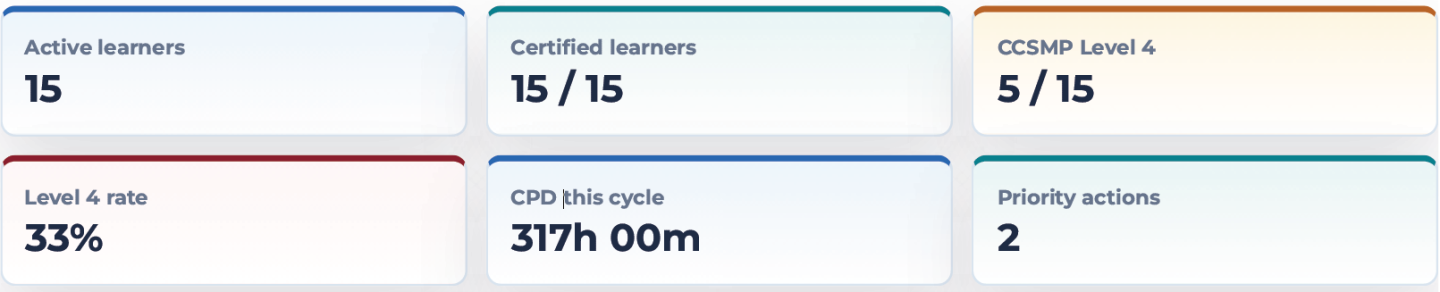
One table shows the whole team: certification level, progress, exam results and a health signal for anyone who needs attention. Open any learner to check their tests and exams — then show the picture to leadership without them ever logging in.
Upskill individuals
Development shouldn’t be one-size-fits-all. Filter the CPD library by skill, assign the right courses to the right people — individually or by group — with a due date, and track completion in one place.
Catch risk early
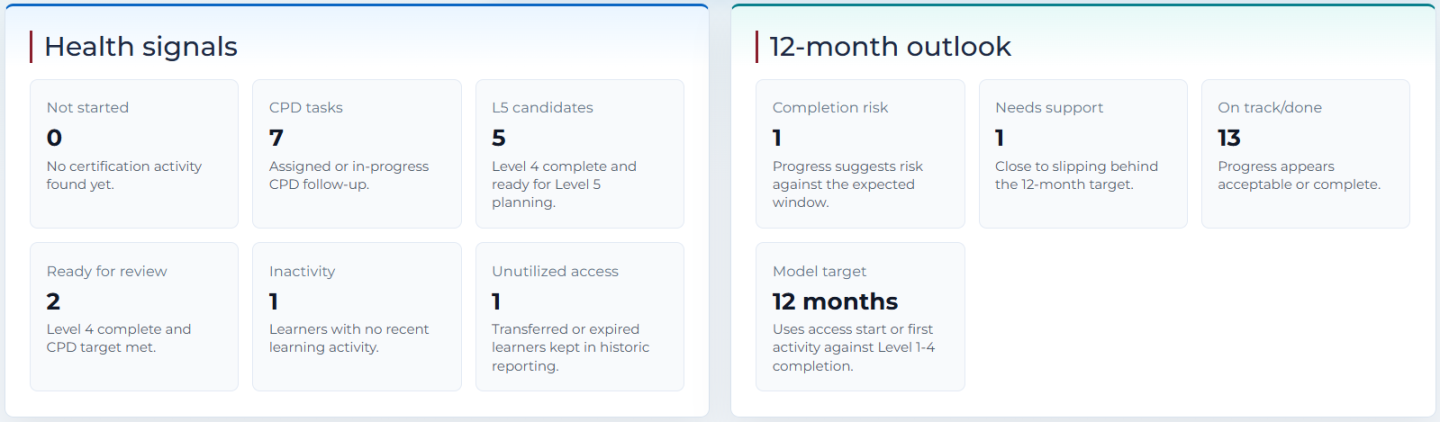
Health signals surface who has stalled, who is inactive and who is drifting off the 12-month target, while there is still time to act. You steer ahead of the numbers instead of reacting to churn after it happens.
Prove the return
A report leadership actually reads
One click turns the whole team’s activity into a presentation-ready summary — training value, certification progress, CPD activity, certificate evidence and the priority actions that remain. Save it to PDF for a board pack, a QBR or a renewal, so the investment in your team is visible, not assumed.
Save to PDF Certificate evidence Remaining priorities
Who gets Team Training Tools
Team Training Tools add a leadership layer to your team certification. Managers are set up as team leaders so they can assign learning and run reporting across their people. On bigger rollouts you can add reporting-only leaders who see progress for their part of the team without changing anything.
Team leader. Assigns CPD courses — to one person, a group or everyone — checks exam results, and runs reporting, coaching and the whole-team impact report.
Reporting leader. Sees progress and reporting for their team scope, read-only. Good for line managers and stakeholders.
What leaders say
Leaders who run their teams on it
“The management dashboard and the ability to understand where my team were struggling has been a real game changer.”

“The training was tailored to our specific needs, focusing on providing relevant examples that resonated with the team.”

“The feedback from my CS team has been great; everyone likes it and we have already obtained a lot of value from the program.”

Tell us about your team
Share where your team is now and where you want it to be. We reply with peer-level insight from real team engagements, not a high-pressure sales pitch, and a clear view of the options.
Share your situation. A consultative sense-check by email. Use the form.
One view of progress. Track certification, assign CPD and prove the return from a single dashboard.
14-day full access. Evaluate the Academy, the CPD library and team reporting in your own context.
Training discovery call. A 30-60 minute call to audit your team and its friction points, no pressure.
Questions
Team Training Tools questions
One dashboard for the whole team: each person’s certification level and progress, CPD hours, access status, last activity, and who needs attention. You can drill into any individual for the full picture.
Yes. Filter the CPD library by skill or topic, select the courses, choose the learners and set a due date. The assignment lands in each person’s plan and shows up in your reporting until it is done.
Yes. Open any learner to review their module tests and both parts of the final exam, so you can coach on the exact gaps. The review tools are for coaching, they never reveal answers or change a mark.
A one-click, presentation-ready summary for leadership: training value, certification progress, CPD activity, certificate evidence and the priority actions that remain. Save it to PDF for a board pack, a QBR or a renewal conversation.
Yes. Every reporting view exports to CSV, so you can drop the numbers straight into your own dashboards, one-to-ones or reviews.
Managers are set up with Team Training Tools ($97 per manager) as soon as your team certification starts, so they can assign learning and run reporting across their team. Secondary leaders can be given reporting-only access.
Team Training Tools runs inside your Practical CSM Academy account. Access is role-based: team leaders see and manage their own team, reporting-only leaders get read-only access to their scope, and nobody sees teams that aren’t theirs. Activity pulled from your learners is used only to power your dashboards and reports — it is never shared with other customers.